Showing posts with label hack. Show all posts

Wednesday, July 2, 2008

Pidgin connect problem

"The client version you are using is too old. Please upgrade at http://pidgin.im/"
"Pidgin will not attmpt to reconnect the account until you correct the error and re-enable the account"

Read news at http://www.opennet.ru/opennews/art.shtml?num=16768 (thanks for url to Ksmster)

I found that it has just relised
http://sourceforge.net/project/showfiles.php?group_id=235&package_id=230234

MY SOLUTION:
My Pidgin's version is 1:2.2.1-1ubuntu4.1 Gutsy
My Pidgin's offset 0002:e83a


Download patch file at http://slil.ru/25950594
Auto download starts after 10 sec. File name is liboscardiff.tar.gz.

sudo apt-get install bsdiff
cd /directory/where/there/is/the/downloaded/patch
sudo tar -zxvf liboscardiff.tar.gz
sudo mv /usr/lib/purple-2/liboscar.so.0.0.0 /usr/lib/purple-2/liboscar.so.0.0.0.original
sudo bspatch /usr/lib/purple-2/liboscar.so.0.0.0.original /usr/lib/purple-2/liboscar.so.0.0.0 ./liboscardiff

PS:
Simple as magic, and not need to install any apdates :)

Link to nice site:
http://www.meebo.com/

Tuesday, March 11, 2008

HOWTO: Change your forgotten password

http://ubuntuforums.org/showthread.php?t=133102

Recovery-mode -> passwd -> reboot

Tuesday, January 22, 2008

Console for networking and internet

Перетаскивая ноутбук дом-работа приходиться менять конфиги:
Можете использовать gedit вместо vi.

1.1. ip command to set a default router to 192.168.0.1
sudo ip route add default via 192.168.0.1

1.2. route command to set a default router to 192.168.0.1
sudo route add default gw 192.168.0.1

1.3. Save routing information to a configuration file /etc/network/interfaces
sudo vi /etc/network/interfaces
gateway 192.168.0.1

2.
Save nameserver information to a configuration file /etc/resolv.conf
sudo vi /etc/resolv.conf
nameserver 192.168.0.1

3. Restart networking
sudo /etc/init.d/networking restart

ip a change 192.168.0.12/24 dev eth0

ip r list
ip a list
cat /etc/network/interfaces
ifconfig
sudo mtr ya.ru
telnet svn.exoplatform.org 80
ping www.exoplatform.org
cat /etc/resolv.conf

Ping
ping HOST_OR_IP
ex.1:
$ ping google.ru
------------------------------
PING google.ru (72.14.221.104) 56(84) bytes of data.
64 bytes from fg-in-f104.google.com (72.14.221.104): icmp_seq=1 ttl=248 time=1106 ms
...
------------------------------
ex.2:
$ ping ya.ru
------------------------------
PING ya.ru (213.180.204.8) 56(84) bytes of data.
64 bytes from ya.ru (213.180.204.8): icmp_seq=2 ttl=56 time=99.3 ms
...
------------------------------


Nmap
sudo nmap -sS -PI -PT -O -F 192.168.0.1
sudo nmap -sS --open -p T:80,8080 192.168.0.1-255
ex.1:
alexey@wtf:~$ sudo nmap -sS --open -p T:80,8080 72.14.221.104
------------------------------
Starting Nmap 4.20 ( http://insecure.org ) at 2008-01-22 09:11 EET
Interesting ports on fg-in-f104.google.com (72.14.221.104):
Not shown: 1 filtered port
PORT STATE SERVICE
80/tcp open http

Nmap finished: 1 IP address (1 host up) scanned in 5.444 seconds
------------------------------


ex.2:
alexey@wtf:~$ sudo nmap -sS -PI -PT -O -F 72.14.221.104
------------------------------
Starting Nmap 4.20 ( http://insecure.org ) at 2008-01-22 09:12 EET
Interesting ports on fg-in-f104.google.com (72.14.221.104):
Not shown: 1252 filtered ports
PORT STATE SERVICE
80/tcp open http
113/tcp closed auth
179/tcp closed bgp
443/tcp open https
Device type: general purpose
Running (JUST GUESSING) : Microsoft Windows 95/98/ME|NT/2K/XP|3.X (85%), Linux 1.X (85%), NetBSD (85%)
Aggressive OS guesses: Microsoft Windows NT 3.51 SP5, NT 4.0 or 95/98/98SE (85%), Linux 1.3.20 (x86) (85%), NetBSD 1.6.2 (alpha) (85%), Microsoft Windows 3.1 with Trumpet Winsock 2.0 revision B (84%)
No exact OS matches for host (test conditions non-ideal).

OS detection performed. Please report any incorrect results at http://insecure.org/nmap/submit/ .
Nmap finished: 1 IP address (1 host up) scanned in 97.809 seconds

------------------------------


Telnet
telnet 192.168.0.1 80
GET . HTTP/1.0
ex.1:
alexey@wtf:~$ telnet 72.14.221.104 80
------------------------------
Trying 72.14.221.104...
Connected to 72.14.221.104.
Escape character is '^]'.
------------------------------

GET http://www.google.ru HTTP/1.0
------------------------------
HTTP/1.0 200 OK
Cache-Control: private
Content-Type: text/html; charset=windows-1251
Set-Cookie: PREF=ID=940ca0c052b49a6a:NW=1:TM=1200985708:LM=1200985708:S=xE0rP3DhbLa0U2SU; expires=Thu, 21-Jan-2010 07:08:28 GMT; path=/; domain=.google.ru
Server: gws
Date: Tue, 22 Jan 2008 07:08:28 GMT
Connection: Close

...
meta equiv="content-type" content="text/html; charset=windows-1251" .. title .. Google ./title..
...
...
------------------------------


ex.2:
POST /portal/portal HTTP/1.0
Host: localhost
Content-Length: 26

fis=yes&listCollapsed=true


Wget
r - рекурсивно
c - дописать
l - глубина
ex.
wget -r -c -l 2 http://docs.oasis-open.org/wsrp/v2/
wget -r -c -l 1 -nd -P wsrpSpecFiles http://docs.oasis-open.org/wsrp/v2/
wget -r -k -с -l 0 -np http://example.com/
- выкачка сайта целиком (рекурсивно, изменяя ссылки на относительные, докачивая, с неограниченной глубиной, без вышестоящего домена)

wget - wiki
Wget - насос для Интернета

Iptables

добавьте 127.0.0.1 link.altova.com в hosts
> sudo gedit /etc/hosts

запретить всем программам TCP подключения к 443 и 2799 портам на IP адресах 84.53.166.97, 88.221.170.97, 88.221.2.97
> sudo iptables -A INPUT -p tcp --dport 443:2799 -d 84.53.166.97 -j DROP
> sudo iptables -A INPUT -p tcp --dport 443:2799 -d 88.221.170.97 -j DROP
> sudo iptables -A INPUT -p tcp --dport 443:2799 -d 88.221.2.97 -j DROP
> sudo iptables --list


Links
http://www.xml.com/pub/a/2004/12/15/telnet-REST.html
http://ipesin.linux.kiev.ua/translations/rhm/love_cl1.htm
http://ipesin.linux.kiev.ua/translations/rhm/love_cl2.htm

Thursday, February 8, 2007

http sniffers

Looking for http sniffers as a http debugger and programs for monitoring.

Today I'm looking for the best http sniffer for check of working our WSRP exo-portlet-container service. I have found not only http sniffers...

0 For linux nmap
http://nmap.org/book/man.html
sudo apt-get install nmap
sudo apt-get install nmapfe
sudo nmapfe

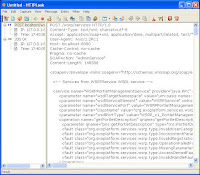
1. HTTPLook ( for win httplook.exe) - the best!
HTTPLook is a powerful HTTP sniffer. For me it is the best work sniffer!
HTTPLook is a http sniffer, which gives a complete picture of any site at work. HTTPLook can restore the data transmitted between the local computer and the server and show the control footing and contents of the captured resources.
On ru-board this and this


2. EffeTech HTTP Sniffer (for win EffeTechHTTPSniffer.exe)
This one doesn't display body (content) of response.
EffeTech HTTP Sniffer is a HTTP packet sniffer, protocol analyzer and file reassembly software based on windows platform. Unlike most other sniffers, it is dedicated to capture IP packets containing HTTP protocol, rebuild the HTTP sessions, and reassemble files sent through HTTP protocol.


3. Ether Snoop ( for win EtherSnoop.exe)
Sniffering packets.
EtherSnoop light is a free network sniffer, designed for capturing and analysis of the packets going through the network.It captures the data passing through your dial-up connection or network Ethernet card, analyzes the data and represents it in a readable form.


4. HostMonitor (for win host-mon.exe)
Live or doesn't live hosts or network nodes.
HostMonitor is a highly scalable network monitoring software suitable for small and enterprise-level networks
5. HttpGen (HttpGen.exe)
Generate http requests.

6. MyIPSuite (for win MyIPSuite.exe)
The IP tool. Show country of this ip and etc.

7. TcpView (Tcpview.exe)
The view of open local ports.
TCPView for Windows v2.4. TCPView is a Windows program that will show you detailed listings of all TCP and UDP endpoints on your system, including the local and remote addresses and state of TCP connections.

8. Ufasoft sniffer ( fro win ufasoft_sniffer_4.1.116.exe)
Hm... This one is the dangerous program for surround in LAN people. Snifer ICQ messages and http req/res.
Ufasoft Snif is a network sniffer, designed for capturing and analysis of the packets going through the network.
On ru-board this

9. HTTPMonitorPro (for win HTTPMonitorPro.exe)
Give you block or allow for programs network connect.
For me this one is uncomfortable and unuseful.
10. WildPackets EtherPeek
The best sniffer for capturing packets in LAN!

WildPackets’ EtherPeek product family has been specifically designed to address the unique challenges of today’s network environments. Designed to accelerate the troubleshooting of Ethernet-specific problems, EtherPeek features powerful problem detection heuristics and Ethernet-specific diagnostic capabilities.

These portable Ethernet network analyzers cover the full spectrum of LAN management requirements, including network troubleshooting and monitoring, remote LAN analysis, complete VoIP analysis, and application layer protocol analysis, providing network engineers with the real-time analysis they need to keep LANs secure and performing optimally.


11. Wireshark (for win wireshark-setup-0.99.5.exe)
wiki download

Wireshark's powerful features make it the tool of choice for network troubleshooting, protocol development, and education worldwide.

Wireshark was written by an international group of networking experts, and is an example of the power of open source. It runs on Windows, Linux, UNIX, and other platforms.


0. Firefox plugins
  • Firebug - https://addons.mozilla.org/firefox/1843/ - the best! Hot modify css, javascrit and other html content.
  • Web Developer - https://addons.mozilla.org/firefox/60/
  • Html Validator - https://addons.mozilla.org/firefox/249/
  • Tamper Data - https://addons.mozilla.org/firefox/966/
Thanks for advise in firefox plugins to Alexander Seliverstov.

http://sectools.org/sniffers.html
http://www.ubuntugeek.com/list-of-security-tools-available-in-ubuntu.html

That's all.